Qantas Pay
Earn points on your own money,
at home and overseas


Earn points on every purchase

Here
Get Qantas Points when you spend your money on everyday eligible purchases.1

There
With the world in your wallet, you can load up to 16 foreign currencies on your card, and spend like a local in over 190 countries.3

Everywhere
Make safe and secure purchases worldwide, wherever Mastercard is accepted.2

Earn at home and overseas
With Qantas Pay, you can earn points everywhere, simply by spending your own money.

1 PT
Earn 1 point for every $4 you spend within Australia1

2 PTS
Earn up to 2 points for every $1 you spend outside Australia1
Plus, stack up even more points with weekly card offers, and when using your card to shop or fly with Qantas.14
Tap away, without the fees
- Account fees
- Transaction fees9
- Currency conversion fees5
- Fee to add money with Apple Pay, Google Pay, Bank Transfer and more
- Fee to send or receive money
Spend in over 190 countries
Add money to your card in up to 16 foreign currencies, lock in your rate and spend worldwide, wherever Mastercard is accepted 2 4













Travelling somewhere with a different currency?
No problem. Simply tap your Qantas Pay card, and your Australian dollars will automatically convert to the local currency at the Mastercard daily rate.
Plus, make the most of your travel with no currency conversion or transaction fees.5 9
See how it works. It’s easy.

Sign up in minutes
Qantas Pay is available to Qantas Frequent Flyer members aged 16 and over. Simply have your membership and a physical ID document ready to get started.
Not a Qantas Frequent Flyer member?

Get the app
After signing up for Qantas Pay, you can start adding money to your account via the Qantas Pay app or website.
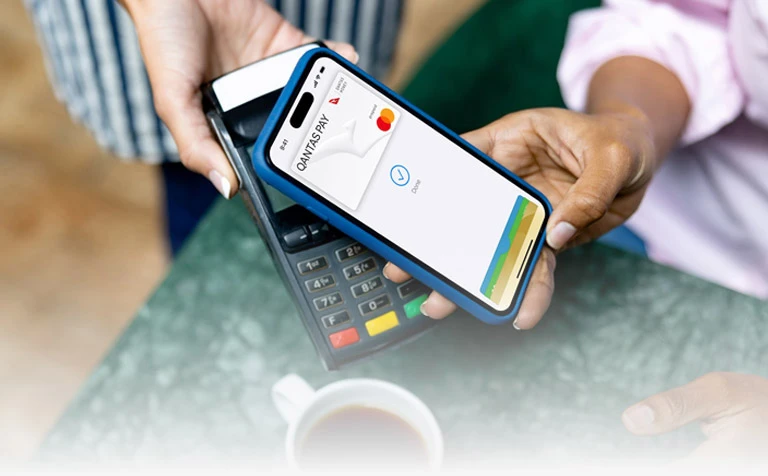
Add your Qantas Pay card to your Apple Pay or Google Pay Wallet instantly to start spending.
And, when your physical card arrives (within 5 to 7 business days), simply activate it and you’re all set.

Add money
Easily add money to your card in up to 17 currencies using the Qantas Pay app or website with:
An Australian debit card
Apple Pay and Google Pay16 17
Bank transfer
BPay

Use Qantas Pay
With your Qantas Pay card, you can:
Make safe purchases anywhere Mastercard is accepted worldwide2
Withdraw cash at ATMs globally6
Earn bonus points when flying or shopping with Qantas14
Exchange money between the 17 different currencies added on your card4
Take advantage of weekly bonus point offers15
Transfer money out to your Australian bank account
Instantly send money to anyone who has a Qantas Pay card

Manage your card
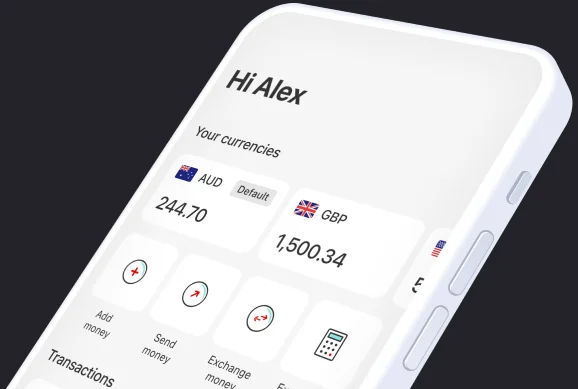
With the Qantas Pay app or website, you can:
Add, send and exchange money
Track your purchases
View your balances in all currencies
Change your card PIN
Lock and unlock your card
Change the default currency (for adding money directly from your bank account or BPAY)
Take advantage of exclusive weekly bonus offers
The Qantas Pay app
Easily manage your money wherever you are with the new Qantas Pay app and discover new and exciting ways to earn Qantas Points on your everyday spend.12
The app is exclusive to Qantas Pay members.